Best Datagrid Library for React (Top 5 Options)
If you are a SaaS founder, indie hacker, or web agency owner building a data-heavy application, you already know that rendering large tables can be a massive headache. Performance bottlenecks, clunky scrolling, and state management nightmares are just a few of the issues you will inevitably face as your user base grows. To solve this elegantly and efficiently, you need the best datagrid library for react.
A powerful data grid library handles the heavy lifting—like multi-column sorting, advanced filtering, inline editing, and infinite scrolling—so you don't have to reinvent the wheel. Whether you're building a complex financial dashboard, a scalable CRM in React, or an advanced analytics tool with Next.js, picking the right grid early on will save you hundreds of hours of technical debt down the road.
In this comprehensive guide, we will break down the absolute top data grids available in 2026, comparing their performance, developer experience, scalability, and enterprise features. By the end of this post, you'll know exactly which tool is the right choice for your project.
Disclosure: We build ogBlocks, a Next.js UI library. We wrote this guide to help our customers choose the right data grid for their dashboards.
Table of Contents
- Key Takeaways
- Why Choosing the Right Data Grid Library Matters
- Top 5 Best Datagrid Library for React Options
- How to Choose the Best Data Grid for Your Next.js App
- Supercharge Your SaaS with ogBlocks
- Frequently Asked Questions (FAQ)
Key Takeaways
- Data Scale is Crucial: As your SaaS application grows, your data grid must be able to handle hundreds of thousands of rows without lagging. DOM virtualization is an absolute non-negotiable feature for serious applications.
- Headless vs. Component: Choose TanStack Table for total UI freedom (the headless approach) or opt for AG Grid / MUI X if you want drop-in, ready-to-use components with pre-built styling.
- Next.js Compatibility: All top-tier React grids integrate perfectly with Next.js. Just remember to ensure you use them within client boundaries using the
'use client'directive. - Time is Money: Instead of building complex grid features from scratch (like Excel exports or drag-and-drop grouping), leveraging a premium data grid library accelerates your time-to-market significantly.
- Best Companion: Pair your data grid with the ogBlocks component library to instantly build beautiful, high-converting SaaS dashboards without the relentless CSS hassle.
Why Choosing the Right Data Grid Library Matters
Building a simple HTML <table> works absolutely fine when you have 50 or even 100 rows of data. But what happens when your enterprise client needs to sort, filter, and analyze 50,000 rows? The browser's DOM will choke, memory usage will spike dramatically, and the browser tab will likely crash, leading to immense user frustration.
For SaaS founders and web agency developers, the UI/UX of your data tables directly impacts user retention. If your users are constantly frustrated by laggy scrolls, broken filters, or janky resizing, they will churn and look for a competitor with a smoother interface.
Here is why investing time to find the best datagrid library for react is essential for your business:
- DOM Virtualization: High-quality grids only render the rows and columns that are currently visible on the user's screen. As the user scrolls, DOM nodes are recycled dynamically, keeping memory usage completely flat regardless of how much data exists.
- Built-in Complex Features: Implementing multi-column sorting, drag-and-drop column reordering, resizable columns, and Excel-like filtering from scratch can literally take months of engineering time.
- Accessibility (a11y): Enterprise clients and government agencies require strict WCAG compliance. The best libraries come with built-in ARIA roles, high-contrast modes, and seamless keyboard navigation out of the box.
- Developer Velocity: As an indie hacker or agency owner, your time is your most valuable asset. Dropping in a robust data grid library lets you focus on your core business logic and unique value proposition rather than debugging obscure CSS grid bugs across different browsers.
Let's dive deep into the top contenders for the title of the best datagrid library for react in 2026.
Top 5 Best Datagrid Library for React Options
1. AG Grid: The Heavyweight Enterprise Champion
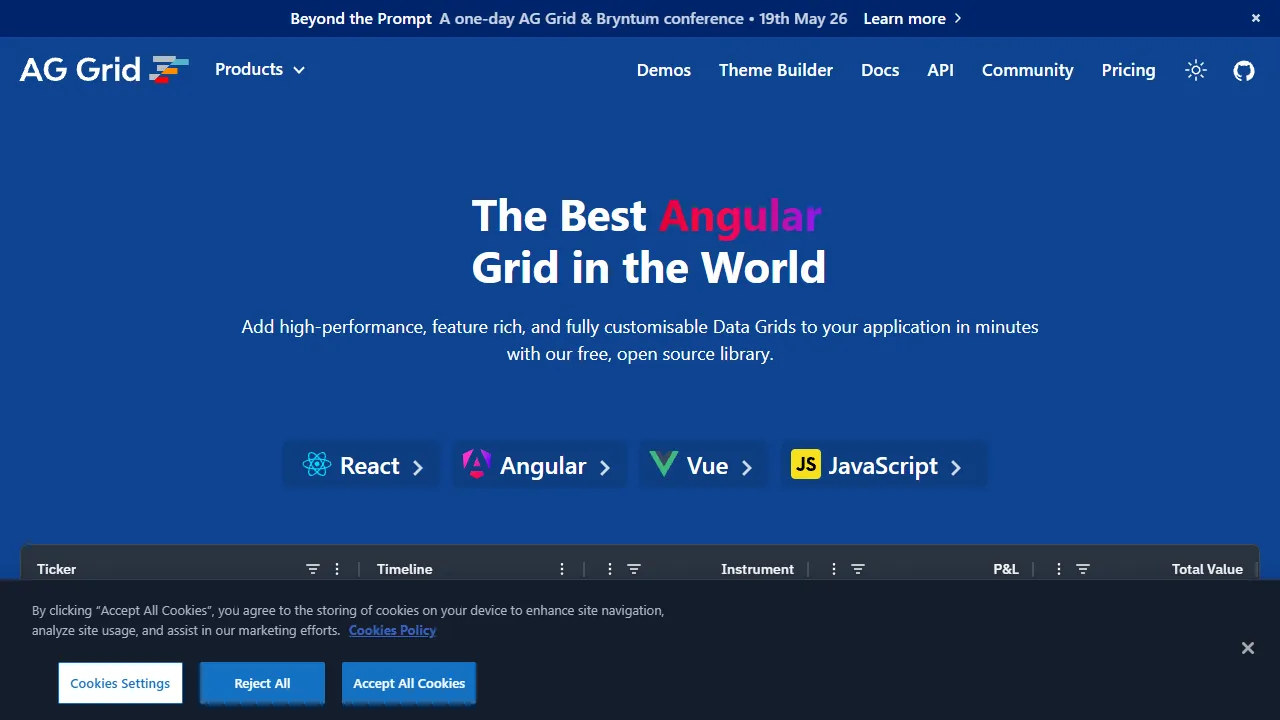
When developers talk about enterprise-grade data management, AG Grid is usually the very first name mentioned. It is arguably the industry gold standard for high-performance, complex data applications in the React ecosystem.
AG Grid comes in two distinct flavors: a highly robust free community version that covers 90% of standard use cases, and a paid enterprise version that unlocks advanced power-user features like pivot tables, tree data, and complex server-side row models.
Key Features:
- Blazing Fast Performance: Handles millions of records effortlessly using highly optimized row and column virtualization algorithms.
- Excel-like Filtering: Built-in filter menus that financial and enterprise users instantly recognize and know how to use.
- Rich Feature Set: Inline editing, master-detail views, row grouping, multi-column sorting, and flawless Excel exporting.
- Framework Agnostic: While it has dedicated, tightly integrated React support, it also works brilliantly across Angular and Vue, making it a safe long-term bet.
Why SaaS Founders Love It: It simply never fails. When you have a massive B2B client who demands Excel-level functionality in a web browser, AG Grid delivers without breaking a sweat.
Pros:
- Unmatched feature completeness. If you can imagine a feature, AG Grid probably already has an API for it.
- Incredible performance on massive, real-time datasets.
- Detailed, extensive documentation with thousands of interactive examples.
Cons:
- The learning curve can be steep due to its massive and sometimes overwhelming API surface.
- The enterprise license can be pricey for bootstrapped indie hackers (though, again, the free tier is extremely generous).
2. TanStack Table: The Headless Marvel
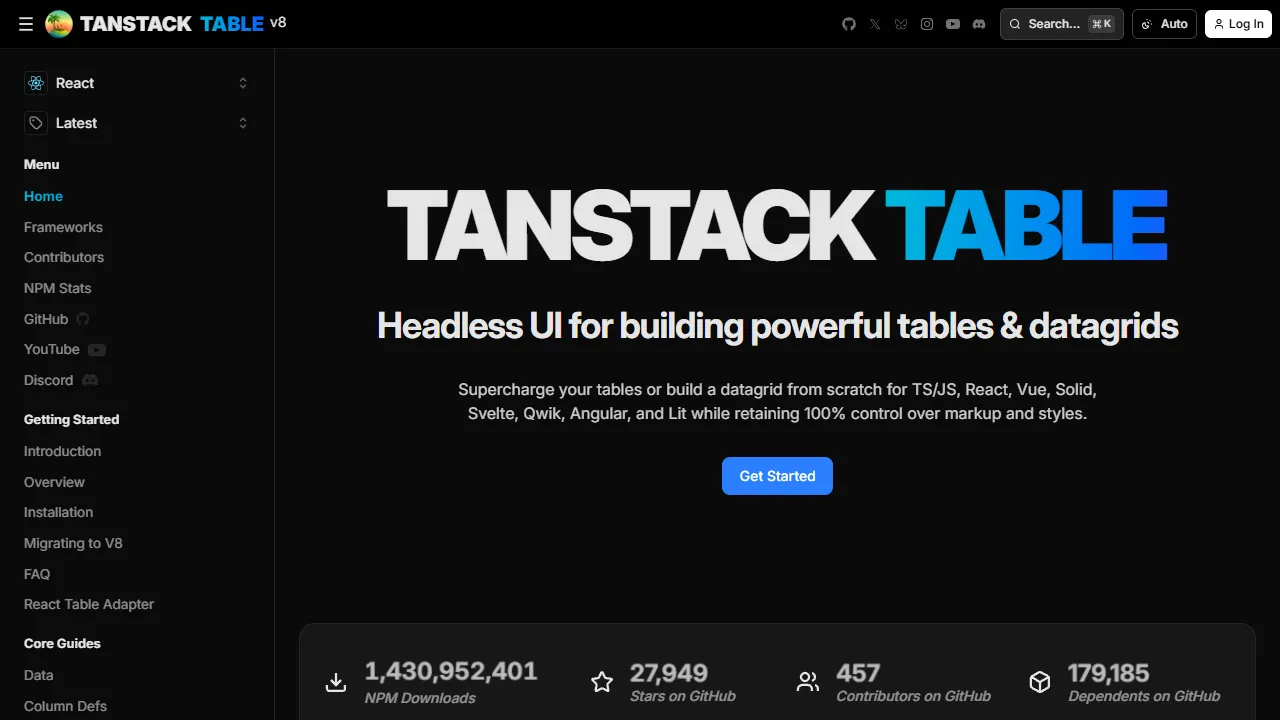
Formerly known as React Table, TanStack Table takes a completely different architectural approach. It is a "headless" UI library. This means it provides the complex logic, state management, and mathematical algorithms for your grid, but it renders absolutely zero HTML or CSS.
You are fully responsible for building the UI components, which gives you 100% pixel-perfect control over how your table looks, feels, and animates.
Key Features:
- Total Customization: Seamlessly integrates with modern styling solutions like Tailwind CSS, styled-components, or standard CSS modules. It doesn't force any design opinions on you.
- Lightweight: Because it doesn't ship with any UI components or bloated CSS files, the JavaScript bundle size is incredibly small.
- Powerful Hooks: Provides intuitive hooks for sorting, global and column-specific filtering, grouping, and pagination.
- Next.js Friendly: Works beautifully in Next.js environments, especially when combined with server components for data fetching.
Why Indie Hackers Love It: It allows you to build completely bespoke designs that match your unique brand identity perfectly, without having to fight against rigid third-party CSS classes.
Pros:
- Zero styling conflicts. You can make it look exactly like your proprietary design system.
- Highly modular and extensible architecture via a robust plugin system.
- Completely free and open-source.
Cons:
- Requires significantly more initial setup time since you have to build the UI components yourself (headers, rows, cells, pagination controls).
- Doesn't come with built-in virtualization out of the box (though it pairs perfectly with its sister library, TanStack Virtual).
3. MUI X Data Grid: Material Design Excellence
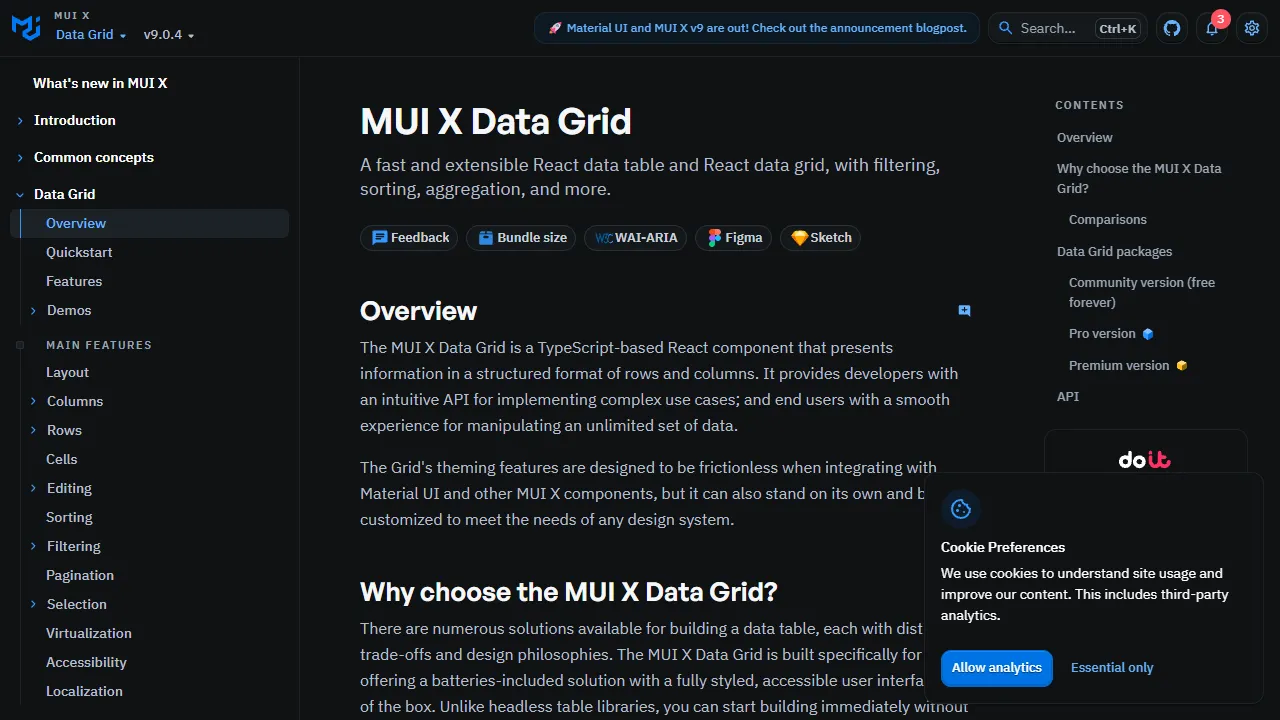
If you are already utilizing Material UI (MUI) for your React or Next.js project, the MUI X Data Grid is an absolute no-brainer. It is engineered from the ground up to integrate flawlessly with the MUI ecosystem, providing a gorgeous, out-of-the-box Material Design experience.
Key Features:
- Native MUI Integration: Respects your MUI theme, typography, CSS variables, and color palette automatically without any extra configuration.
- Accessibility: Superb keyboard navigation and screen-reader ARIA support right out of the box, ensuring strict compliance.
- Tiered Offerings: Available in Community (free), Pro, and Premium tiers depending on your needs for row grouping, deep aggregation, or advanced Excel export functionalities.
Why Agencies Love It: It allows web agencies to ship beautiful, highly functional data tables to clients incredibly fast, ensuring a consistent design language across the entire application.
Pros:
- Extremely fast setup and time-to-market if you are already invested in the MUI ecosystem.
- Clean, intuitive API that feels very native to modern React developers.
- Great built-in UI controls for complex tasks like column pinning and multi-layered filtering.
Cons:
- Can feel visually heavy or out of place if you are trying to build a non-Material Design aesthetic.
- Overriding deep nested styles can sometimes be tedious compared to a purely headless solution.
4. Syncfusion React Data Grid: The Complete Enterprise Toolkit
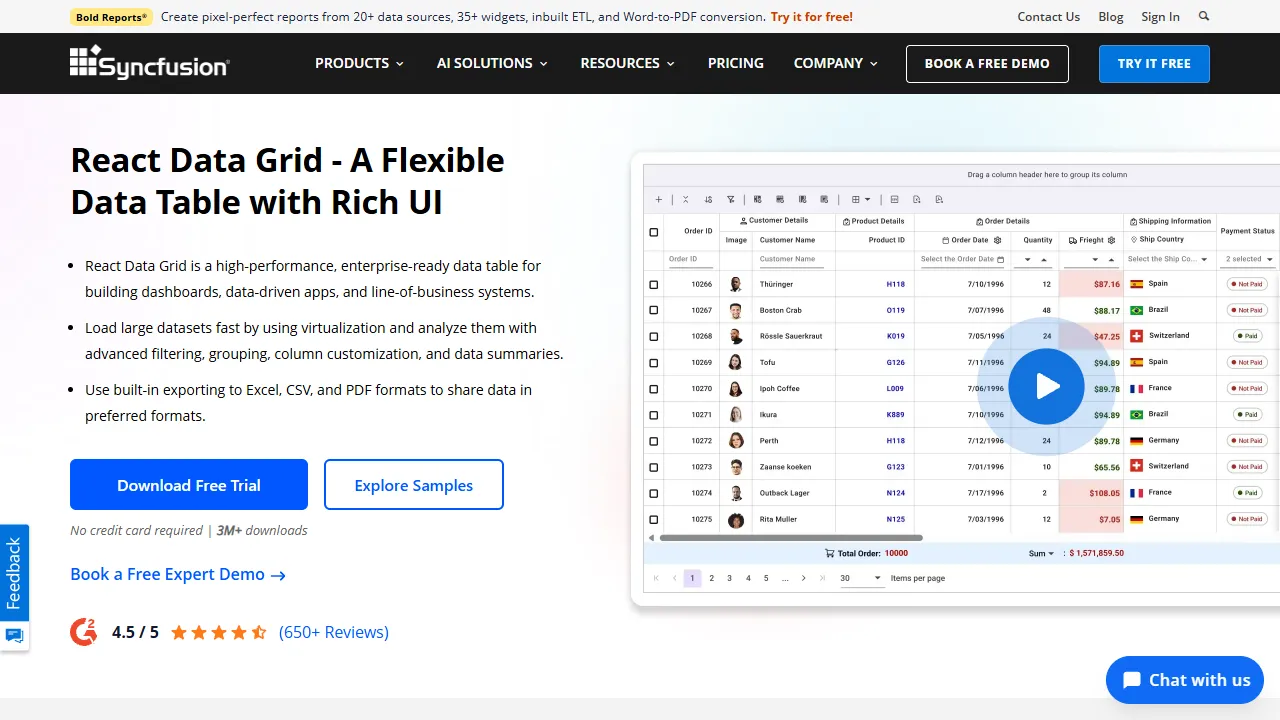
Syncfusion offers a massive, comprehensive suite of over 80+ React UI components, and their Data Grid is arguably one of their crown jewels. It is heavily optimized for enterprise applications and comes packed with features that directly rival AG Grid.
Key Features:
- Incredible Virtualization: Supports row, column, and infinite scrolling virtualization, making it a powerhouse for large datasets.
- Advanced Exporting: Export your data directly to Excel, PDF, or CSV while perfectly preserving styling, formatting, and custom templates.
- Adaptive UI: Automatically adjusts its layout and touch targets for mobile and tablet devices, which is an incredibly rare and valuable feature for complex data grids.
- Localization: Excellent support for multiple languages, RTL (Right-to-Left) layouts, and locale-aware formatting for dates and currencies.
Why SaaS Founders Love It: It's a one-stop-shop. When you buy into Syncfusion, you don't just get a grid; you get charts, schedulers, rich text editors, and more, all with a consistent API.
Pros:
- The Syncfusion community license is entirely free for companies and individuals making less than $1 million in annual gross revenue, making it perfect for bootstrapping indie hackers.
- Enormous ecosystem of complementary UI components.
- Excellent touch and mobile responsiveness.
Cons:
- The overall bundle size can be larger compared to lightweight headless alternatives.
- The documentation can sometimes feel overwhelming due to the sheer volume of properties and features available.
5. Ignite UI for React: Built for Absolute Speed
Ignite UI by Infragistics provides a robust, high-performance data grid that is specifically engineered for pure speed. It is designed from the ground up to handle high-frequency, real-time data updates, making it a heavy favorite for financial trading platforms, live IoT analytics dashboards, and sports betting interfaces.
Key Features:
- Real-Time Data Handling: Highly optimized to process and render thousands of data updates per second without freezing or janking the UI thread.
- Excel-Style Interactions: Provides familiar filtering, sorting, and cell selection paradigms that enterprise power users demand.
- State Persistence: Easily save and load grid layouts, column orders, pinned states, and filter configurations to
localStorageor a database.
Why Developers Love It: When performance is the absolute number one priority and you cannot afford a single dropped frame during data streams, Ignite UI delivers.
Pros:
- Incredible, industry-leading performance for real-time streaming data applications.
- Very responsive, enterprise-grade support team to help you through architectural roadblocks.
- Includes a free "Grid Lite" version for essential data display needs when you don't need the full premium suite.
Cons:
- Primarily a paid product, which might deter bootstrapped solo founders on a tight budget.
- The default UI aesthetic can feel a bit traditional compared to highly modern, trendy SaaS designs (though it is fully themeable).
Quick Comparison Matrix
If you are short on time, here is a quick feature and performance benchmark comparison matrix of the top React datagrid libraries:
| Library | UI Approach | Virtualization | Bundle Size | Free Tier Available |
|---|---|---|---|---|
| AG Grid | Pre-styled Component | Built-in (Advanced) | ~200kb+ | Yes (Community) |
| TanStack Table | Headless | Via TanStack Virtual | ~10–15kb (core) | Yes (100% Free) |
| MUI X Data Grid | Material UI Native | Built-in | ~100kb+ | Limited (Pro/Premium paid) |
| Syncfusion | Pre-styled Component | Built-in | ~150kb+ | Free (Community License) |
| Ignite UI | Pre-styled Component | Built-in | ~150kb+ | No (Paid / Trial) |
How to Choose the Best Data Grid for Your Next.js App
When evaluating the best datagrid library for react and Next.js, carefully consider the following strategic factors before committing to a library:
1. Data Volume and Performance Needs
If you expect to render more than 10,000 rows in a single view, you absolutely must choose a library with robust, built-in virtualization. AG Grid, Syncfusion, and Ignite UI excel tremendously here. If you prefer to use TanStack Table for design reasons, be prepared to integrate a virtualization library (like TanStack Virtual) yourself, which adds development time.
2. Design Flexibility and Brand Identity
Are you building a unique, hyper-modern SaaS dashboard that needs to stand out from the crowd? You might find pre-styled grids like MUI X or Syncfusion too rigid or difficult to override. In this scenario, a headless library like TanStack Table is your absolute best bet, allowing you to use utility-first frameworks like Tailwind CSS freely.
3. Required Feature Set
Map out your exact product requirements before writing a single line of code. Do your users absolutely need to export formatted data to PDF? Syncfusion handles that flawlessly out of the box. Do they need Excel-like pivot tables and complex aggregations? AG Grid Enterprise is the undisputed standard. Don't waste time building these complex, edge-case heavy features yourself if a library already offers them perfectly.
4. Licensing and Startup Budget
As a SaaS founder or indie hacker, managing your financial runway is critical.
- Free / Open Source: TanStack Table, MUI X (Community Edition), AG Grid (Community Edition).
- Startup Friendly: Syncfusion (Free for companies under $1M in revenue).
- Enterprise Paid: AG Grid Enterprise, Ignite UI.
Supercharge Your SaaS with ogBlocks
Choosing the right data grid library is only half the battle when launching a successful product. To build a truly successful SaaS, your entire user interface needs to look premium, trustworthy, dynamic, and high-converting.
Building robust authentication flows, pricing sections, animated hero banners, and responsive sidebars from scratch is a massive drain on your engineering time. You should be focusing entirely on your core business logic, user acquisition, and backend architecture—not endlessly tweaking CSS padding and responsive breakpoints.
That is exactly why we built the ogBlocks component library.
ogBlocks provides stunning, production-ready, beautifully designed React and Next.js components tailored specifically for ambitious SaaS founders and web agencies.
- Save Hundreds of Hours: Drop in fully responsive, accessible, and beautifully animated components to get your MVP to market weeks (if not months) faster.
- Premium Aesthetics: Say goodbye to generic, boring bootstrap designs. ogBlocks components are meticulously crafted with modern micro-interactions, perfect typography, and sleek dark modes to wow your users and build instant trust.
- Perfect Harmony: Use ogBlocks for your app shell, marketing landing pages, and dashboard layouts, and simply drop your chosen React data grid right into our beautifully crafted, spacious dashboard containers.
Do not let UI development slow down your launch velocity. Readers must buy ogblocks component library to truly unlock their development speed and design quality.
Get the ogBlocks component library today and start building high-converting, gorgeous SaaS apps at absolute lightning speed!
Frequently Asked Questions (FAQ)
What is a data grid library?
A data grid library is a robust software component designed to display, manage, and manipulate large amounts of tabular data in web applications. It provides advanced functionalities far beyond a standard HTML <table>, such as multi-column sorting, complex filtering, inline editing, drag-and-drop pagination, and virtualization for handling massive datasets efficiently without crashing the browser.
Which React data grid library is best for large datasets?
For massive datasets (think hundreds of thousands or millions of rows), AG Grid and Syncfusion React Data Grid are the undisputed industry leaders. They utilize advanced row and column virtualization, meaning they only render the specific DOM nodes currently visible on the user's screen. This highly optimized approach allows them to handle millions of rows smoothly without causing browser lag or memory leaks.
Can I use these data grids with Next.js?
Yes, absolutely! All the premium libraries mentioned in this guide—including TanStack Table, Syncfusion, MUI X, and AG Grid—work perfectly with Next.js. Because complex data grids heavily rely on browser-specific APIs (like the window object, ResizeObserver, and direct DOM manipulation), you simply need to ensure they are rendered as Client Components by adding the "use client" directive at the very top of your React component file.
Is TanStack Table better than AG Grid?
It entirely depends on your project's specific goals. TanStack Table is a "headless" library, meaning it provides absolutely no styling, giving you 100% control over the UI architecture (which is perfect for Tailwind CSS enthusiasts). AG Grid, on the other hand, comes with a highly polished pre-built UI, complex enterprise features (like pivot tables and Excel export), and is ready to use out of the box. Use TanStack for ultimate design freedom, and AG Grid for heavy, complex enterprise functionality.
Ready to elevate your development workflow to the next level? Stop wasting your valuable time on boilerplate UI and focus on your core product logic. Buy the ogBlocks component library today and ship faster!
Written by Karan
Karan is a React engineer and the founder of ogBlocks, building high-performance UIs for SaaS.