How to Price a SaaS Product (Most Founders Get This Wrong)
Building a remarkable software product takes countless hours of coding, debugging, and refining. However, knowing how to price a SaaS product accurately is what ultimately determines if your business thrives or fails. Whether you are launching a micro-SaaS or a complex enterprise tool, your pricing strategy is the most powerful lever you have to drive revenue, accelerate growth, and validate your market.
This article is designed specifically for SaaS developers, technical founders, and product owners who want to translate their code into sustainable recurring revenue. We’ll explore the most effective SaaS pricing models, define a bulletproof pricing strategy, and reveal why getting to market quickly is your biggest competitive advantage.
💡 Key Takeaways / TL;DR
- Monetization vs Acquisition: According to ProfitWell data, optimizing your pricing strategy is up to 4x more efficient at improving revenue than focusing solely on user acquisition.
- Value Metrics: The most successful SaaS models tie their pricing directly to a "value metric" (the core unit of value a user gets, such as contacts stored or API calls made).
- Simplicity Wins: Complicated pricing creates friction. Clear, tiered SaaS pricing models reduce cognitive load and improve conversion rates by up to 25%.
- Speed to Market: You cannot test pricing without shipping. You need to ship faster and better to test pricing plans.
Table of Contents
- Why Your SaaS Pricing Strategy Matters
- The 5 Most Popular SaaS Pricing Models
- A 3-Step Framework: How to Price a SaaS Product
- Psychological Triggers in SaaS Models
- The Secret to Testing Pricing Early (And How to Ship Faster)
- Frequently Asked Questions (FAQ)
- Conclusion & Next Steps
Why Your SaaS Pricing Strategy Matters

Many developers treat pricing as an afterthought. You spend six months building a flawless application, and then, the night before launch, you look at a competitor and say, "Let's just charge $19 a month."
This approach to pricing strategy is dangerous. When you don't align your price with the actual value your software provides, you end up doing one of two things:
- Underpricing: You leave significant money on the table, attracting low-intent customers who churn quickly and demand high customer support.
- Overpricing blindly: You scare away your core audience because your price doesn't reflect the perceived value, resulting in zero initial traction.
Research from OpenView Partners highlights that companies that regularly review and optimize their pricing realize a 33% higher lifetime value (LTV) from their customers compared to those who set it and forget it. A well-optimized pricing structure acts as a continuous growth engine. It signals quality, targets the right user segments, and funds your future development.
The 5 Most Popular SaaS Pricing Models
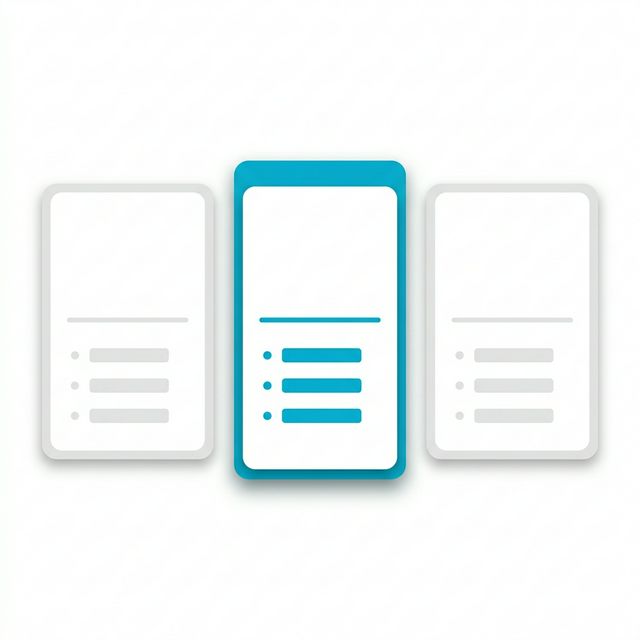
To successfully figure out how to price a SaaS product, you first need to understand the structural options available. Here are the five most prevalent SaaS models, along with their pros and cons.
1. Flat-Rate Pricing
Flat-rate pricing is the simplest model. You offer one product, with one set of features, at one single price.
- Pros: It is incredibly easy to communicate. Your sales process is frictionless because customers know exactly what they are getting.
- Cons: It limits your revenue potential. A startup might happily pay $20/month, but an enterprise company getting 100x the value would also only pay $20/month. You completely lose out on capturing enterprise revenue.
2. Tiered Pricing
Tiered pricing is the gold standard for most modern SaaS companies. You offer different packages (usually 3 to 4) at various price points, scaling the features or capacity with each tier.
- Pros: It appeals to multiple buyer personas. You can capture beginners with a low-cost "Starter" tier and monetize large companies with an "Enterprise" tier.
- Cons: If your tiers are not clearly differentiated, users can get confused. A confused buyer almost always defaults to not buying.
3. Usage-Based Pricing (Pay-As-You-Go)
Popularized by infrastructure companies like AWS and Stripe, usage-based pricing charges customers only for what they use.
- Pros: Frictionless entry. Users can start for pennies, and their cost scales perfectly alongside their success. This creates a highly fair pricing strategy.
- Cons: Revenue becomes unpredictable. If a user's traffic or usage drops, your revenue drops immediately. It also becomes harder for your customers to forecast their own budgets.
4. Per-User Pricing
This is a staple for collaboration tools (like Slack or Jira). A company pays a fixed monthly fee for every employee using the software.
- Pros: Revenue scales infinitely as your customer's company grows. It is highly predictable and easy for businesses to understand.
- Cons: It heavily encourages "seat sharing" (multiple people using one login to save money). Furthermore, not every user gets the exact same value out of the software, which can cause churn if adoption drops.
5. Per-Feature Pricing
In this SaaS model, the price increases as the user unlocks more advanced functionality.
- Pros: This aligns perfectly with a strong upgrade path. Users pay more only when they need heavy-duty features.
- Cons: It restricts your best features from the majority of your users. If your unique selling proposition (USP) is hidden behind an expensive paywall, entry-level users might not stick around long enough to experience the true value of your product.
A 3-Step Framework: How to Price a SaaS Product
Now that you know the available SaaS models, how do you actually determine the number on the pricing page? Follow this proven three-step framework.
Step 1: Determine Your Value Metric
A value metric is the fundamental unit of measurement that determines how much value a user extracts from your tool. Patrick Campbell, the founder of ProfitWell, famously stated that getting your value metric right is the single most important decision in pricing.
If you build an email marketing tool, charging "per user" makes no sense. The value isn't in adding team members; it's in sending emails to an audience. Therefore, the correct value metric is "number of subscribers" or "number of emails sent."
To find your value metric, ask yourself: What is the core outcome my customer wants, and how can I measure it objectively?
Step 2: Define Your Customer Profiles and Segments
Your pricing strategy must align with who you are selling to. Are you selling to indie hackers, or are you selling to Fortune 500 decision-makers?
Create 2-3 detailed buyer personas based on user research. Calculate their willingness to pay by using the Van Westendorp Price Sensitivity Meter during feature interviews. Ask prospective users:
- At what price does this product become too expensive?
- At what price is this product starting to get expensive, but you'd still buy it?
- At what price is this a bargain?
- At what price is it so cheap you doubt its quality?
This data will give you a reliable "acceptable price range" that prevents you from guessing blindly.
Step 3: Understand LTV to CAC Ratio
According to Pragmatic Institute's pricing principles, sustainable software businesses must monitor their Customer Acquisition Cost (CAC) and their Customer Lifetime Value (LTV).
A healthy SaaS metrics benchmark is an LTV:CAC ratio of 3:1 (meaning you make $3 for every $1 spent acquiring a customer). If your software costs $150 to acquire a user, your pricing model must ensure that the user generates at least $450 in lifetime value. If your flat-rate price is only $5/month, that user has to stick around for 90 months just to hit your target—a highly improbable scenario. Therefore, your base price must increase.
Psychological Triggers in SaaS Models
Pricing isn't just math; it's deep human psychology. Top SaaS developers utilize presentation tactics that subconsciously guide users toward higher-tier plans.
1. Price Anchoring:
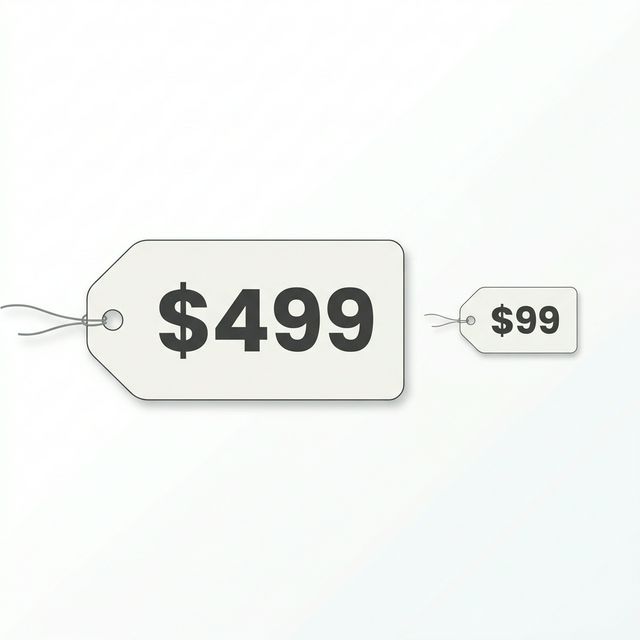
When presenting three tiers, present the most expensive tier first (or make it visibly prominent). If a user sees a $499/month tier first, the $99/month tier suddenly looks like a phenomenal bargain. Without that anchor, $99 might have seemed expensive.
2. The Center Stage Effect:
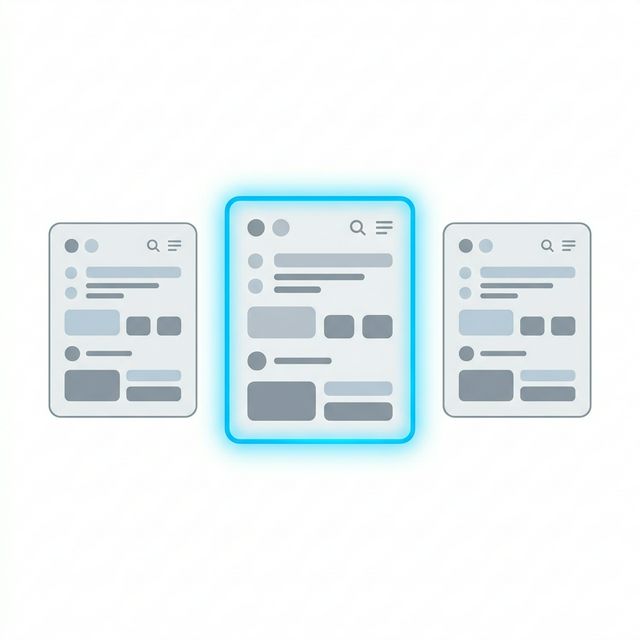
Humans naturally gravitate toward the middle option when presented with choices. By highlighting your middle pricing tier with a "Most Popular" or "Best Value" badge, you reduce decision fatigue. Statistics show that visually highlighting the middle tier can increase its selection rate by up to 20%.
3. Simplicity in Display: Don't clutter your pricing page with a 100-row feature comparison matrix unless you are selling complex enterprise software. Hide the granular details behind a "See all features" dropdown, and keep the main pricing cards clean, focused, and scannable.
The Secret to Testing Pricing Early (And How to Ship Faster)
The biggest trap developers fall into is theory-crafting their pricing for months without ever testing it in the real world. No amount of market research survives first contact with real credit cards.
The Pragmatic Institute notes that the best companies test pricing early and often. But here is the stark reality: You cannot test a pricing strategy if your app isn't live.
SaaS founders waste hundreds of hours building standard UI components—navbars, data tables, modal popups, and pricing cards—instead of focusing on their core business logic and getting to market.
If you want to validate your SaaS pricing models quickly, you need to execute rapidly. This is where the ogblocks animated UI component library gives you an unfair advantage.
By leveraging ogblocks, you can:
- Ship 40% Faster: Stop writing boilerplate CSS and Framer Motion logic. Drop in premium, fully animated React components instantly.
- Look Professional: A highly polished, animated UI justifies a higher price point. If your app looks like a $99/month product, people will pay $99/month.
- Focus on the Core Product: Spend your time running A/B tests on your pricing strategy, talking to your users, and improving the proprietary value of your SaaS.
Ready to launch faster and test your pricing in the wild? Don't build from scratch. Use the tools designed for commercial success. Explore the ogblocks animated UI component library today and get your SaaS to market in record time.
Frequently Asked Questions (FAQ)
What is the best pricing model for a new SaaS? For most new software products, tiered pricing tied to a clear value metric is the best starting point. It offers a low barrier to entry for early adopters while leaving room to scale revenue as your users grow. It also allows you to test multiple price points simultaneously.
How often should a SaaS company change its pricing? High-growth SaaS companies typically evaluate and adjust their pricing strategy every 6 to 9 months. As you continually add features and improve your product's performance, the value you deliver increases. Your pricing should reflect that enhanced value over time.
Why do most SaaS models offer exactly three pricing tiers? Three tiers tap into the psychological principle of choice architecture. One option limits revenue, while five options create decision paralysis. Three options (a cheap anchor, the ideal target plan, and a premium decoy) naturally funnel users toward your intended, optimal middle tier.
Is freemium a pricing model? Technically, freemium is a customer acquisition strategy, not a pricing strategy. A free tier operates as a marketing expense designed to generate a massive user base, a fraction of which will eventually transition into your paid SaaS pricing models.
Conclusion & Next Steps
Figuring out exactly how to price a SaaS product requires a mix of objective data analysis and psychological finesse. By selecting the right SaaS models—be it tiered, usage-based, or per-feature—and locking in a scalable value metric, you set the foundation for immense business growth.
Remember, your pricing strategy is a living mechanism. It should evolve as your product and your market evolve.
But validation only happens when real users hit your checkout page. Stop letting front-end development slow down your business launch. Supercharge your development speed and build breathtaking interfaces with the ogblocks animated UI component library today. Your customers are waiting—price your product right, and launch it now.
Written by Karan
Karan is a React engineer and the founder of ogBlocks, building high-performance UIs for SaaS.