How to Build a SaaS Without Coding: From Idea to Paying Users in Weeks

Have you ever had a brilliant software idea but stopped dead in your tracks because you didn't know how to code? You're not alone. For SaaS founders and indie hackers, the technical barrier to entry used to be insurmountable. But in 2026, the landscape has entirely shifted.
If you want to build SaaS without coding, you are sitting in the golden era of software development. You no longer need to spend $50,000 on a development agency or waste 12 months learning full-stack JavaScript just to launch an MVP.
In this complete guide, we'll show you exactly how to create SaaS without coding. You'll discover the best tools, a proven step-by-step framework, and most importantly, how to transition from no-code to proper saas coding when it's time to scale your revenue.
Key Takeaways
Before we dive into the tutorial, here is a quick summary of what every modern indie hacker needs to know:
- Speed to Market: Building a no-code SaaS allows you to launch in weeks instead of months, giving you a massive competitive advantage.
- Cost-Effective: You can launch a fully functional SaaS MVP for under $150 per month in software subscriptions.
- The Limits of No-Code: No-code platforms have strict scaling limitations and risk vendor lock-in.
- The Hybrid Solution: When you outgrow no-code, leverage premium React component libraries like ogBlocks to get the speed of no-code with the unlimited flexibility of custom code.
Table of Contents
- What is a No-Code SaaS?
- Pros and Cons of Building SaaS Without Code
- 5 Steps to Create SaaS Without Coding
- Popular No-Code SaaS Ideas for Indie Hackers
- When No-Code Isn't Enough: The "Low-Code" Alternative
- Frequently Asked Questions
What is a No-Code SaaS?
A no-code SaaS (Software as a Service) is a software business built using visual development platforms rather than traditional programming languages. Instead of writing lines of HTML, CSS, React, or Python, founders use drag-and-drop interfaces to connect databases, design user interfaces, and establish logic workflows. According to Fortune Business Insights, the low-code/no-code market is projected to reach $376.92 billion by 2034, proving that this approach is here to stay.
No-Code vs. Low-Code
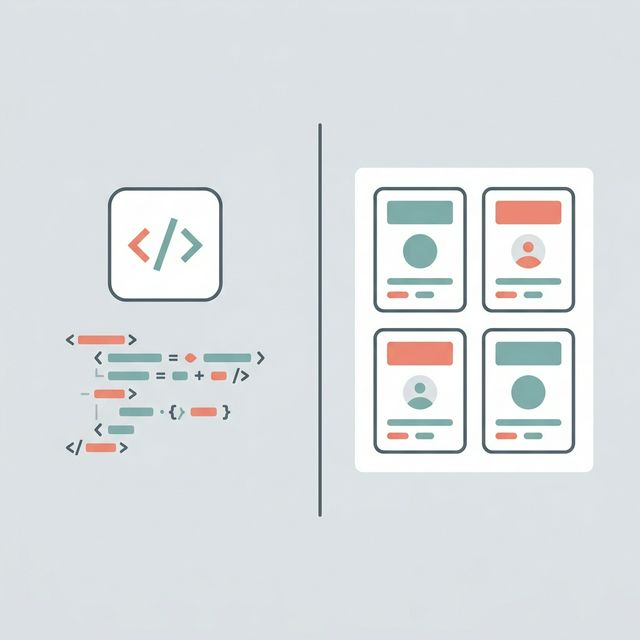
While you might hear the terms used interchangeably in the indie hacker community, there is a distinct and important difference between them:
- No-Code: Designed for complete beginners. You do not need to understand APIs, variables, or data arrays. Platforms like Bubble or Webflow fall heavily into this category. They are perfect for testing an idea.
- Low-Code: Designed for developers or technical founders who want to move faster. You still write some code or use pre-built components, but the heavy lifting is abstracted away.
Understanding this difference is critical when deciding to build SaaS without code. Your ultimate goal as a founder is to solve a customer's problem. The customer does not care if you used a no-code visual builder or hand-coded a custom Next.js application. They only care if your software fixes their pain point seamlessly.
Pros and Cons of Building SaaS Without Code
Before you commit to a specific platform, you need to understand the harsh realities of no-code development. It is not a magical solution devoid of drawbacks.
The Advantages of No-Code
- Unmatched Speed: You can go from a napkin sketch to a functional Minimum Viable Product (MVP) in a single weekend. Speed is the ultimate weapon for a solo founder.
- Lower Financial Risk: Instead of paying a freelance developer $100 per hour, you pay a $30 to $100 monthly subscription to a no-code platform. If you're curious about the numbers, our deep dive on the true cost of building a SaaS product breaks down every line item.
- Easy Iteration: When a user requests a new feature, you don't need to push code through a complex staging environment. You simply drag a new element onto your visual canvas and hit publish.
The Disadvantages of No-Code
- Vendor Lock-in: This is the biggest risk. If the platform you build on goes bankrupt or drastically increases its pricing, you are stuck. You cannot export your backend code and host it elsewhere.
- Performance Issues: Visual builders add massive amounts of "bloat" to the code running underneath. This can lead to slow loading times, which severely harms your SEO and user experience.
- Customization Ceilings: Eventually, you will want a highly specific feature or a stunning, buttery-smooth animation that the platform simply does not support. This is the infamous "no-code wall" that forces successful founders to transition to proper saas coding.
Pro Tip: Treat your initial no-code application as an experiment to validate the market, not necessarily as your forever architecture.
5 Steps to Create SaaS Without Coding

Ready to turn that idea in your head into a profitable software business? Here is the exact five-step blueprint to launch your SaaS.
Step 1: Validate Your Idea Before Building
The number one mistake founders make is building a product nobody wants. Before you open a single no-code builder, you must validate the demand.
- Create a Landing Page: Use a tool like Carrd or Framer to throw up a one-page site explaining your value proposition.
- Add a Waitlist: Put an email capture form on the page. If you can't get 50 people to give you their email, you shouldn't spend time building the app.
- Talk to Users: Pre-sell the concept. Ask your target audience exactly how much they would pay for the solution.
Step 2: Choose Your No-Code Stack
Your "stack" is the combination of tools you will use to build your app. A standard no-code SaaS requires three layers:
- The Front-End (UI): What the user sees and interacts with. (Examples: Softr, Webflow, Glide).
- The Back-End (Database): Where your user data is stored. (Examples: Airtable, Xano, Supabase).
- The Logic (Automation): The engine that makes things happen when a user clicks a button. (Examples: Make, Zapier).
If you want an all-in-one solution where the front-end, back-end, and logic are all handled in one tool, Bubble is currently the industry titan for complex web apps.
| Tool | Best For | Type | Starting Price |
|---|---|---|---|
| Bubble | Complex web apps with custom logic | All-in-one | $32/mo |
| Webflow | Marketing sites and CMS-driven pages | Front-end | $14/mo |
| Softr | Client portals and internal tools | Front-end | $49/mo |
| Airtable | Relational databases and workflows | Back-end | $20/mo |
| Supabase | Postgres database with auth and APIs | Back-end | Free upto 50K MAUs |
| Make | Multi-step automations and integrations | Logic | $9/mo |
Step 3: Build Your Minimum Viable Product (MVP)
Do not try to build a massive, complex enterprise application on day one. Your MVP should do exactly one thing exceptionally well.
If you are building project management software for freelance designers, your MVP doesn't need a built-in invoicing system or AI chat. It just needs a working Kanban board and user authentication. Focus entirely on the core feature that solves the user's primary pain point.
Step 4: Set Up Payments and Launch
To officially become a SaaS business, you need recurring revenue. Thankfully, integrating payments has never been easier.
Use Stripe Payment Links or Polar (I fucking love Polar and as an indie hacker or SaaS owner, it's a no brainer). You don't need complex checkout flows; simply redirect users from your pricing page directly to a Stripe checkout session. Once they pay, use an automation tool like Make.com to trigger an email that sends them their login credentials. Need help figuring out what to charge? Check out our guide on how to price a SaaS product. Launch on platforms where indie hackers thrive:
- Product Hunt
- Hacker News
- Twitter / X
- Niche Reddit Communities
Step 5: Gather Feedback and Iterate
Your first version will be clunky. It might break. Your users will find bugs you never anticipated. This is completely normal.
Set up a continuous feedback loop. Use simple tools like Tally Forms to ask paying customers what features they are missing. Use their feedback to prioritize what you build next on your no-code canvas. Once you start scaling, investing in the right SaaS SEO tools will help you drive organic growth alongside your product improvements.
Popular No-Code SaaS Ideas for Indie Hackers
Struggling to find an idea? Here are three proven categories of micro-SaaS applications you can build without code right now:
- Niche Job Boards: Build a job board specifically for AI prompt engineers or Framer designers. (Stack: Webflow + Airtable + Jetboost).
- Curated Directories: Create a gated database of highly valuable information, like "Top 500 Angel Investors for SaaS startups." (Stack: Softr + Airtable).
- Internal Tools as a Service: Build a specialized CRM or inventory tracker for a very specific type of local business, like boutique coffee shops. (Stack: Glide or Bubble).
When No-Code Isn't Enough: The "Low-Code" Alternative
Here is the truth that many no-code gurus won't tell you: No-code does not scale infinitely.
Once your SaaS hits $10,000 in Monthly Recurring Revenue (MRR), the cracks start to show. You will experience slow database queries. You will want highly custom UI animations that Bubble simply cannot render smoothly. You will realize that your entire business is held hostage by a third-party visual builder's pricing tiers.
This is the exact moment when you transition to custom saas coding. But writing custom React from scratch is aggressively slow.
Why successful indie hackers upgrade to ogBlocks:
- Zero Vendor Lock-In: You own the code. It lives in your GitHub repository, not on a proprietary server.
- Buttery Smooth Animations: High-converting features like scroll reveals and infinite carousels are built-in natively.
- Insane Development Velocity: You can assemble a beautiful, high-performing SaaS application just as fast as using a visual builder, but the result is infinitely more scalable.
Frequently Asked Questions
Can you really build a profitable SaaS without code?
Yes, absolutely. Thousands of founders have built SaaS businesses generating over $10,000 per month using tools like Bubble and Webflow. The customer does not care if you used code; they only care if the tool solves their problem.
How much does it cost to build a no-code SaaS?
You can launch a fully functional SaaS MVP for under $150 per month. A typical stack might cost: $30/month for a database (Airtable), $50/month for a frontend (Softr), and $30/month for automation (Make). This is drastically cheaper than hiring a developer.
Is no-code scalable for large SaaS apps?
No-code is highly scalable for acquiring your first 1,000 users. However, for complex enterprise applications with massive databases or highly custom animated user interfaces, pure no-code will eventually bottleneck. At that scale, migrating to a custom React application using a component library like ogBlocks is recommended.
What is the best no-code platform for building a SaaS?
It depends on what you're building. For complex web apps with custom logic, Bubble is the top choice. For marketing-driven sites with a CMS, Webflow is hard to beat. For internal tools and client portals, Softr paired with Airtable is a fast, affordable stack.
Conclusion: Start Building Today
The era of letting technical limitations stop your entrepreneurial dreams is over. You now know exactly how to build SaaS without coding.
Start by validating your idea, pick a simple no-code stack to launch your MVP, and get your product into the hands of real users as fast as humanly possible. The market rewards speed over perfection.
And when you eventually hit the no-code wall, when you want your application to look insanely premium, run lightning-fast on a custom Next.js stack, and feature animations that make your competitors look like they are stuck in 2012... we've got you covered.
Don't build your SaaS UI from scratch. Use ogBlocks to get beautifully crafted, animated React components you can copy and paste into your app. Experience the speed of no-code with the absolute power and ownership of real code. Get ogBlocks today and ship your SaaS faster.
Written by Karan
Karan is a React engineer and the founder of ogBlocks, building high-performance UIs for SaaS.